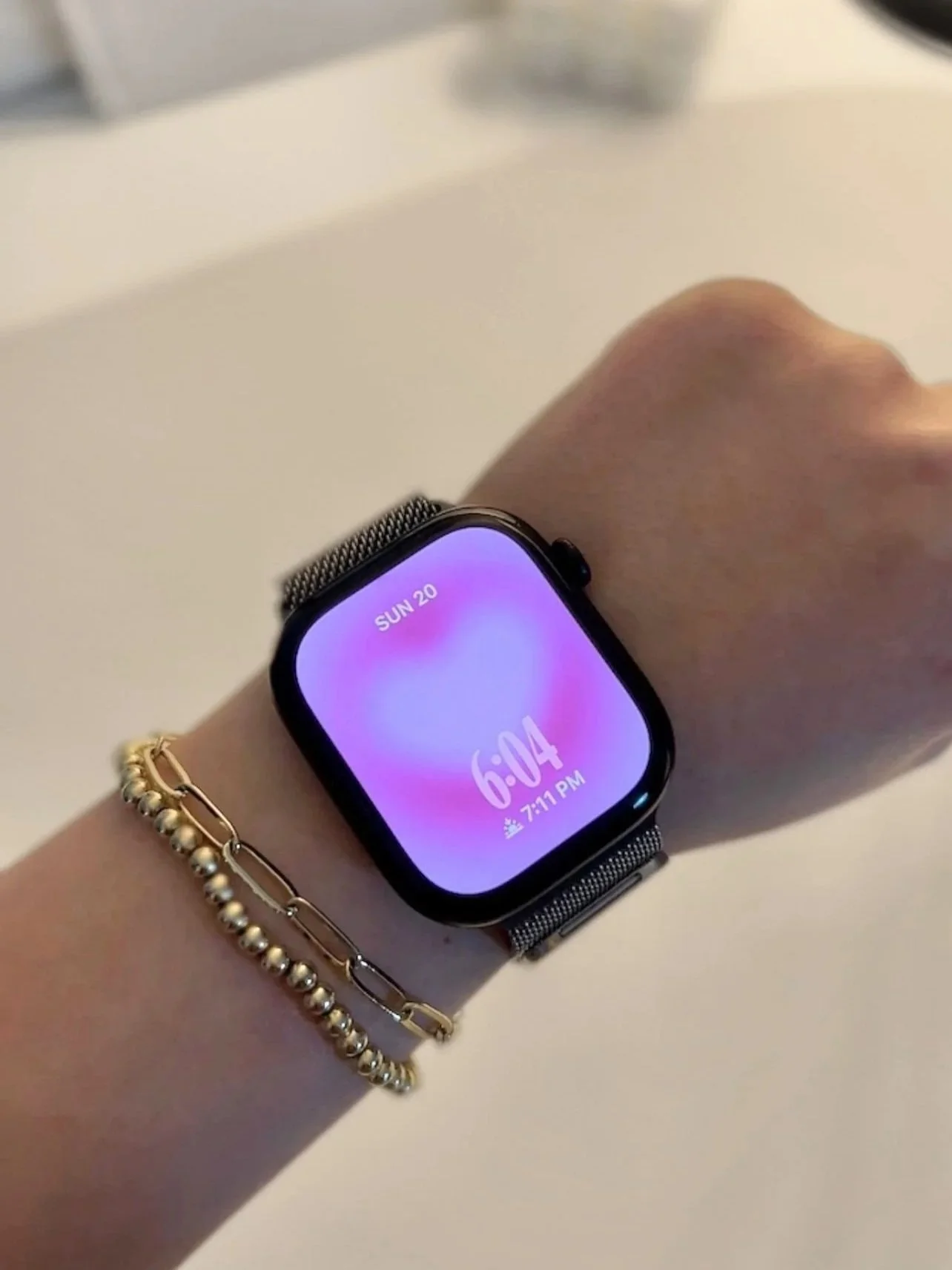
This post is about how to customize your Apple Watch Series 12 and make it aesthetic using watchOS 27!
New Apple Watches are here and you know what that means - a new customization tutorial! My boyfriend Dan got the new Apple Watch Series 12 and in this post, you’ll learn how to customize your own watch and make it aesthetic.
For those curious, he got the series 12 with the aluminum finish and black color, and the stainless steel band (Milanese loop, natural color). He also got the 46mm size, and of course I’ll be customizing using watchOS 27.
This tutorial is meant for complete beginners to Apple Watch customization.
If you want to connect your new Apple Watch to your iPhone you do that through the Watch app which is pre-installed on all iPhones (or you can download it on the App Store). Open app > my watch (bottom menu) > start pairing > follow prompts.
There are two main ways you customize an Apple Watch: through the Watch app or directly on the Apple Watch face itself. Let’s jump in!
Wallpaper I’m Using:

Method 1: Customize Your Apple Watch From Watch App On iPhone
#1: Open Watch App On iPhone, Add Custom Photo
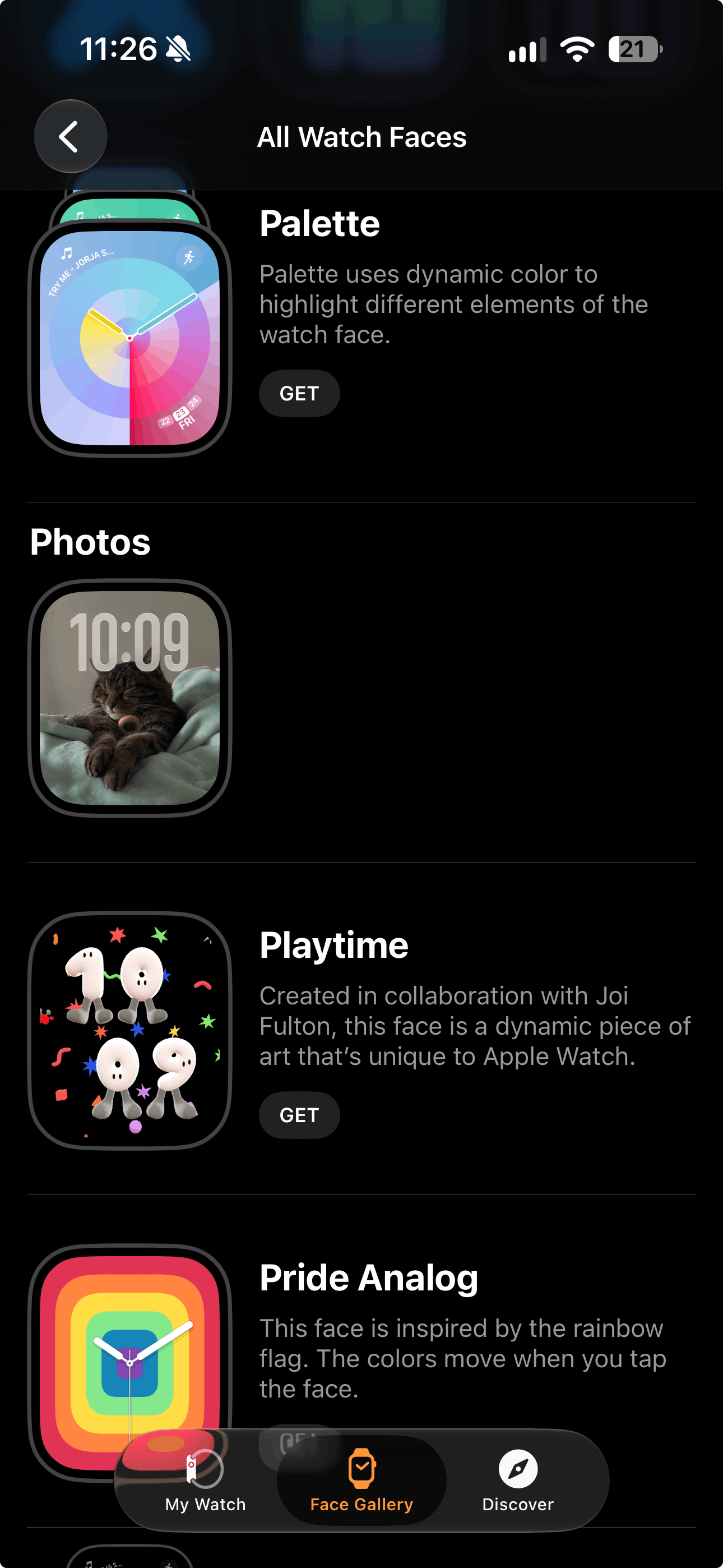
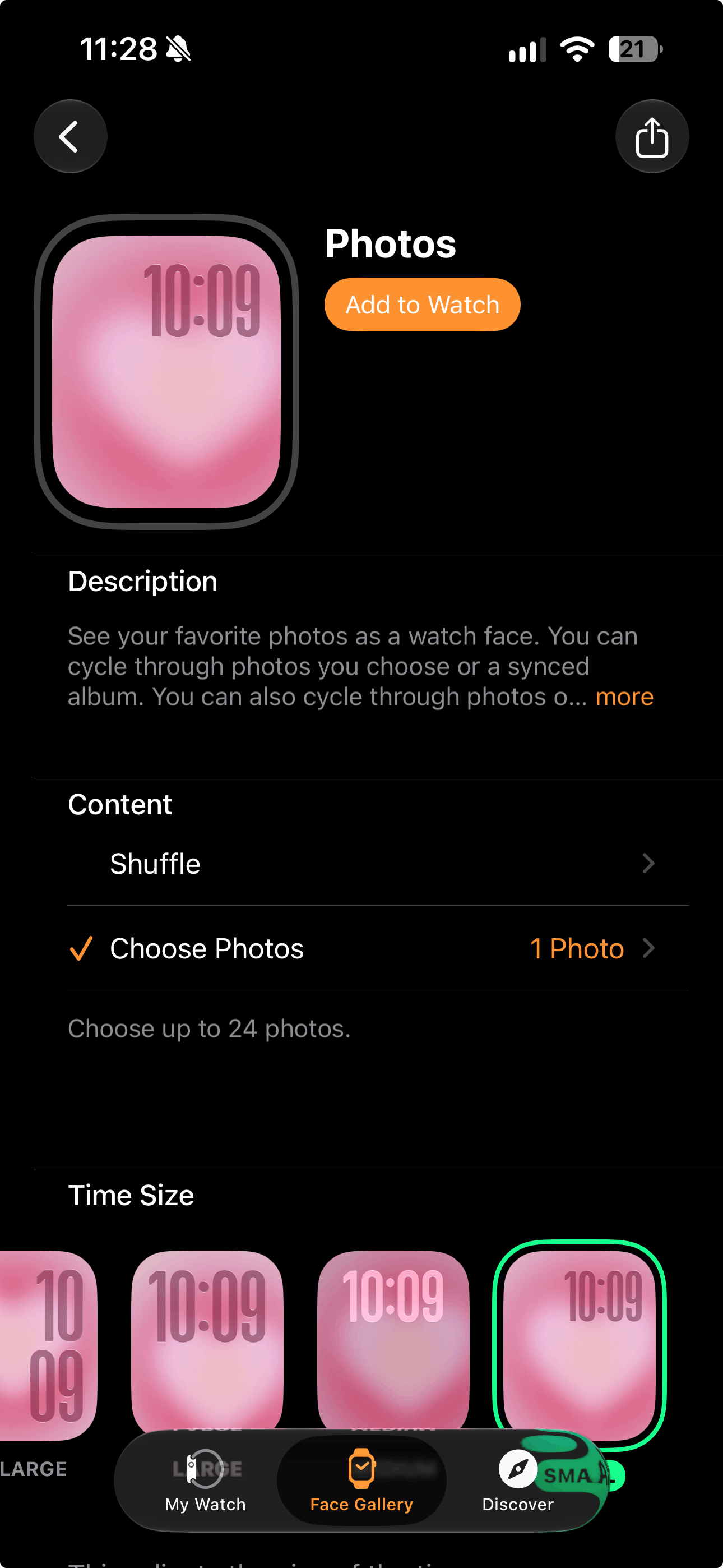
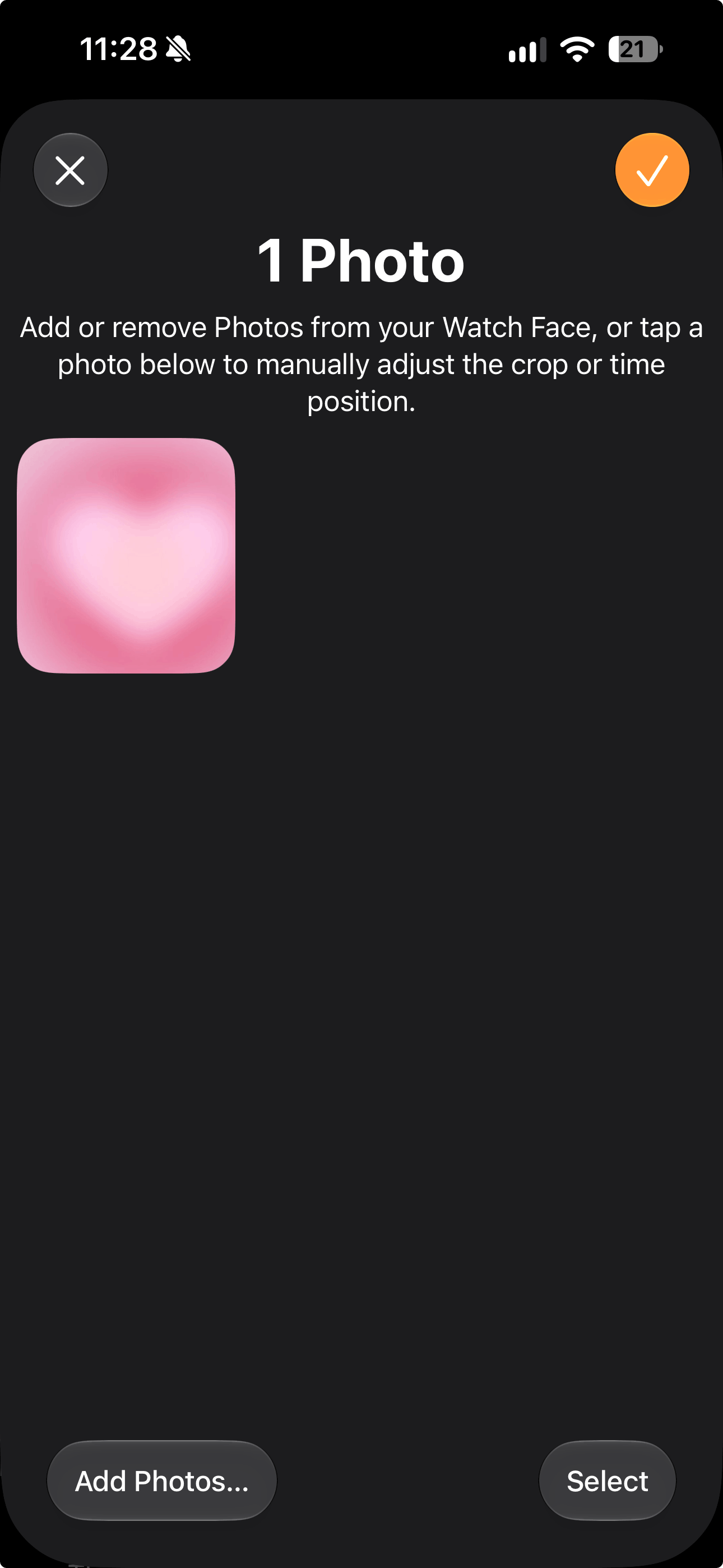
Let’s start with the app! First, if you want to use a custom photo for your watch background, make sure it’s downloaded to your photo library on iPhone.
Open the Watch app. On the bottom, go to ‘face gallery.’ Here, you’ll find all the watch faces available. Scroll down and tap ‘see all watch faces’ for the full gallery.
Tap a category (I’m doing photos) > get. Go to content > choose photos > choose a photo from your library.
#2: Adjust Crop Of Photo
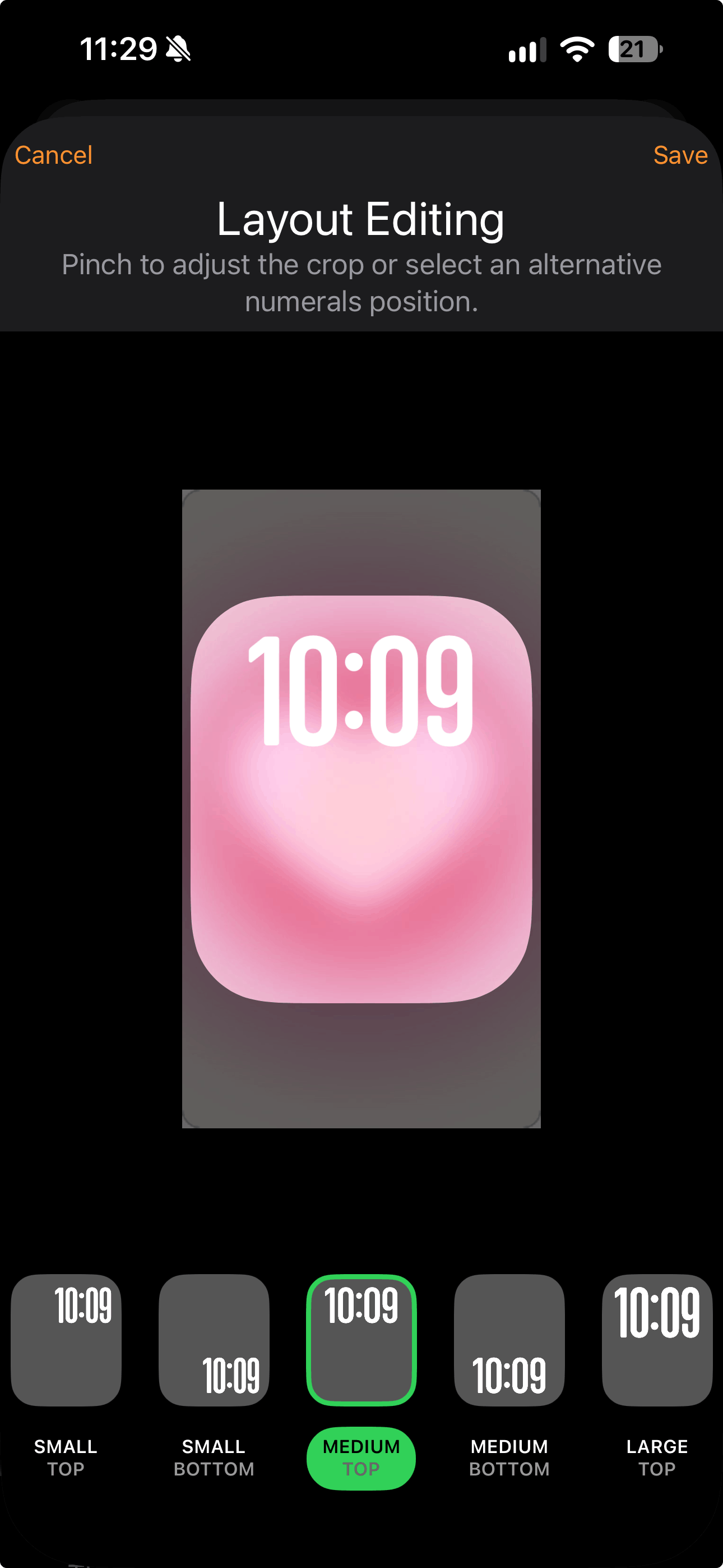
Then, go back to content > choose photos > tap the photo you just chose to adjust the crop on the ‘layout editing’ page. On this page, you can also choose the size and position of the time. I did medium and bottom. Press save when you’re done!
#3: Customize Photo Filter & Time
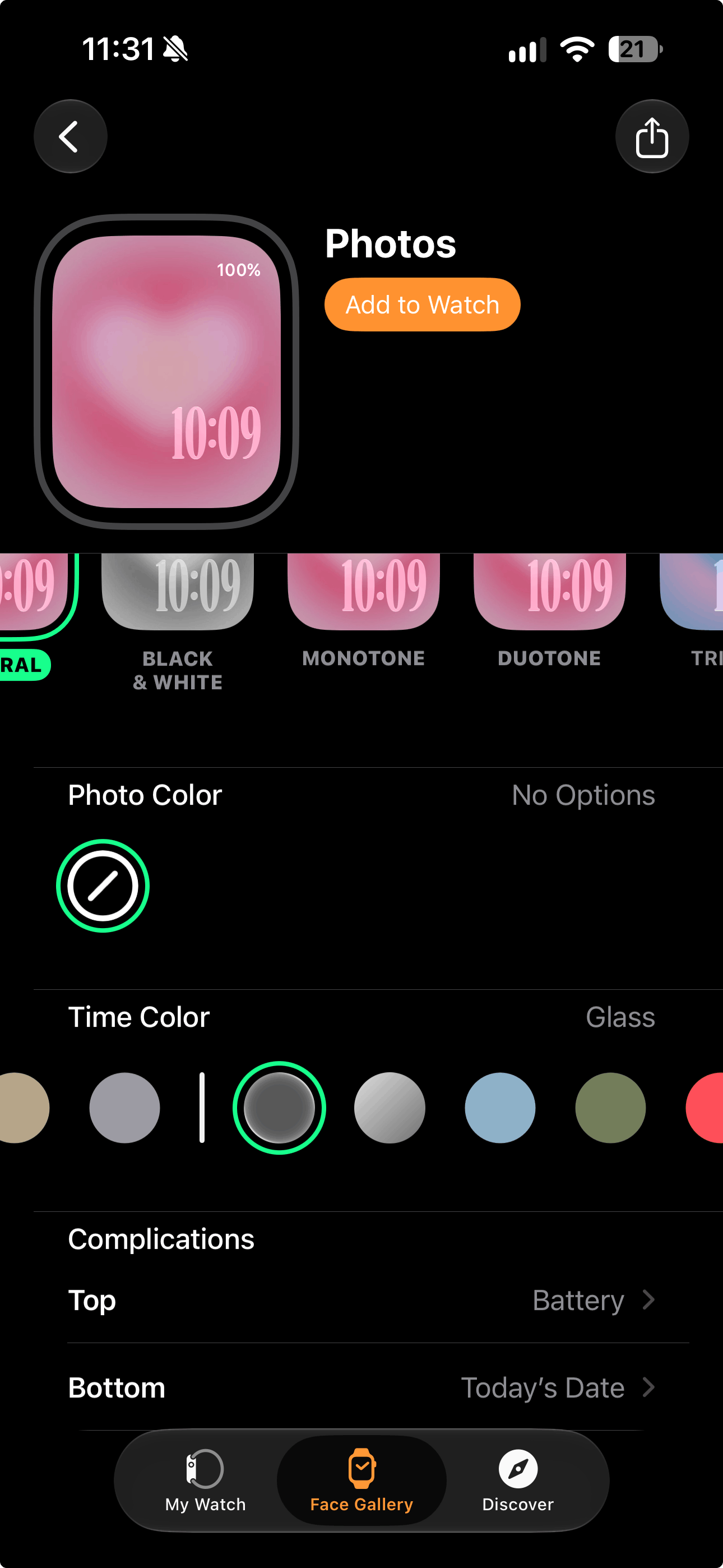
Now scroll down for more fun customization options. You can choose a filter for your photo (I’m leaving mine as is) and a color for your time. For this one, I’m going with clear for that super pretty Liquid Glass look.
#4: Edit Complications
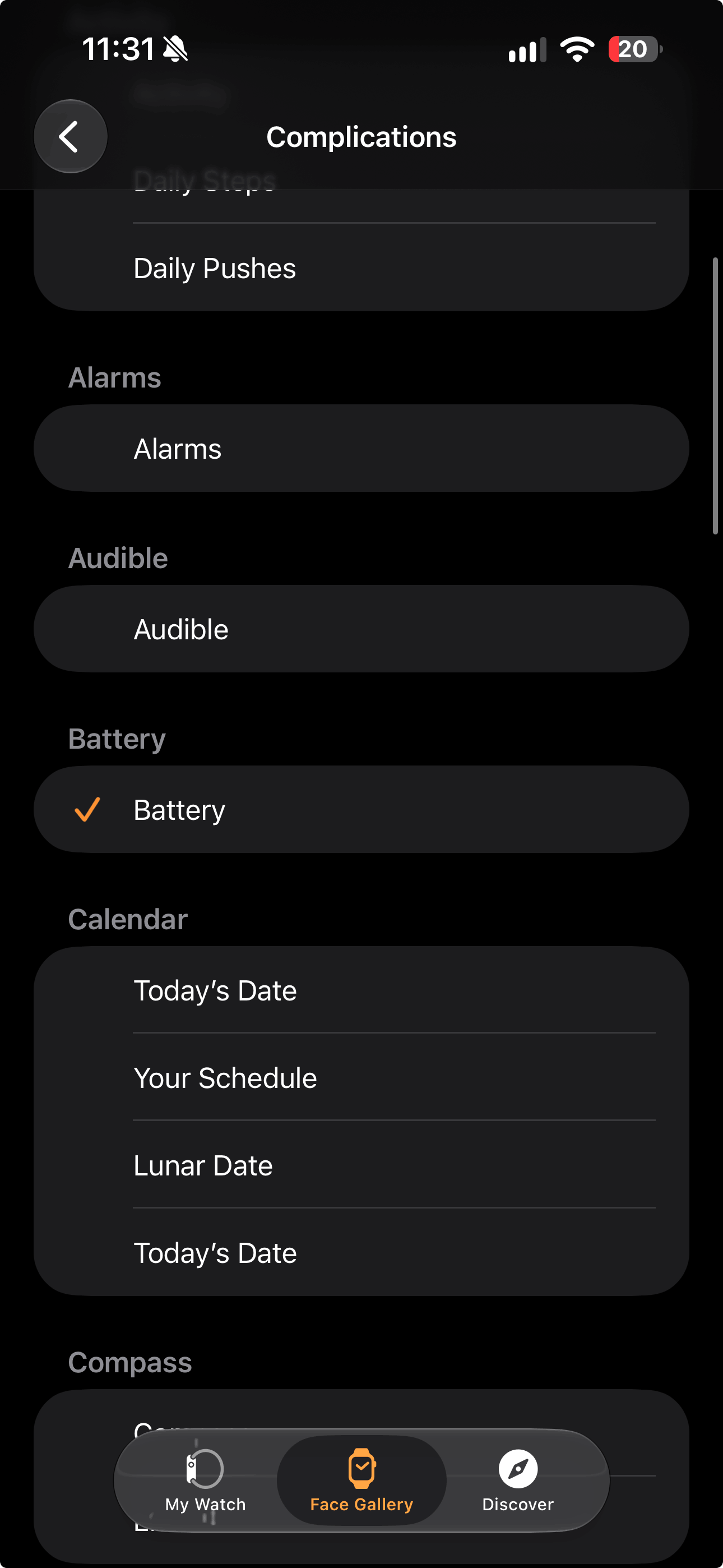
It’s time to choose your complications! This just means choosing all the info that’ll be displayed on your watch face and their placement.
Tap where it says top and bottom to choose these. I chose date for the top and sunset/sunrise for the bottom.
#4: Tap ‘Add To Watch’ To Save
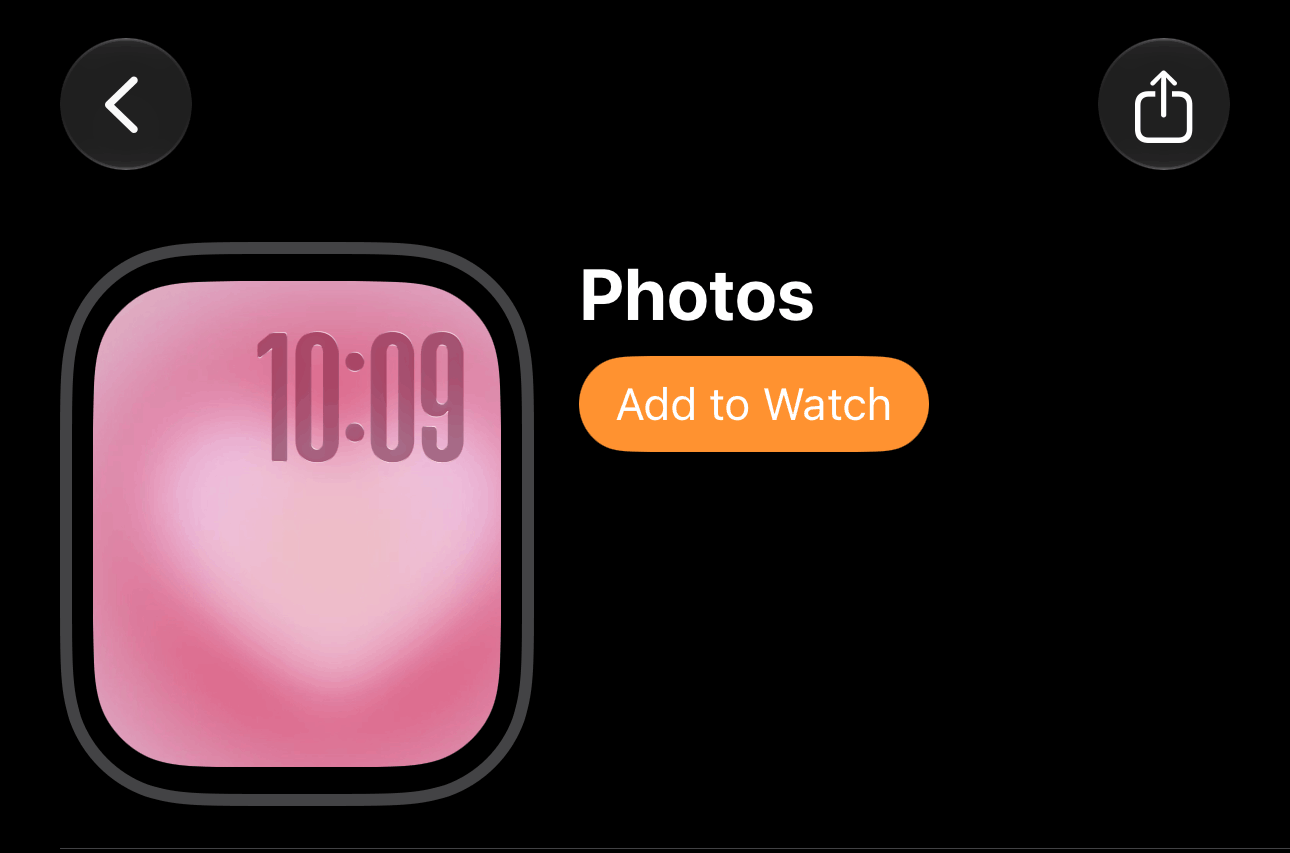
When you’re done choosing your complications, go back to the top of the page > add to watch. Don’t forget this step, otherwise your customization won’t actually show up on your watch!
Related: 13 Genius Ways To Fix Your Chaotic iPhone (And Make It Aesthetic)
Method 2: Customize Your Apple Watch From Your Watch
You’re also able to create and add a new watch face right from your watch, without using your iPhone. Make sure the current watch face is showing, then tap and hold your watch.
Swipe all the way over and then tap the plus to add a new watch face.
Tap a category/collection you want > tap get next to the watch face you want > add to watch. Then you’re able to customize!
When you’re done, simply don’t touch your watch for a few seconds - then, your new customization will automatically be set as your current watch face.
Related: 13 Genius Ways To Fix Your Chaotic iPhone (And Make It Aesthetic)
Closing Thoughts
How fun are these customizations! I absolutely love them.
I hope you found this tutorial helpful and that it got you excited to add some fun customizations to your Apple Watch, whether you have a brand new one or you’re customizing an old one.
Thanks for stopping by my post “How To Customize Apple Watch Series 12 watchOS 27).”
For handmade digital art prints, icon packs, wallpapers, & more designed by me, be sure to stop by my digital boutique: Designed By Nikki Lo.
Connect with me!